
How to Use & Add Codes on Bsnes Emulator
This guide will go into details about how to add and use codes on the Bsnes Emulator for the Super Nintendo. Unlike with the Snes9x, this Emulator will come with cheats already built in for some games. If you're lucky this means you won't even have to add your own cheats, you can just Download what's available and use those!
For the purposes of this guide I will be using Action Replay codes for Mega Man X3 as an example of how to get everything working.
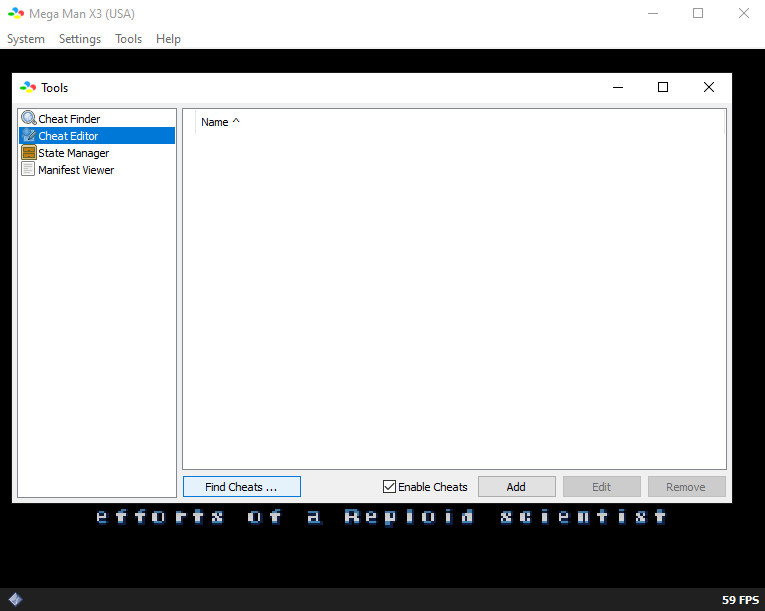
When you're ready to get started, click on Tools at the top of the Emulator and then click on Cheat Editor from the drop down. Doing this will bring up the box shown in the picture below.
Click to enlarge this picture
The first thing I recommend you do is click on Find Cheats... at the bottom, this will bring up another box with all of the default cheats that are available. If you want to add/activate a cheat from this box left click the cheat to select it then in the bottom right click Add Cheats. This will add the cheat to the menu shown in the screenshot above. From here you just click the box next to the cheat to enable it.
As for adding your own cheats, this is a relatively pain free process with bsnes too. At the bottom of the Cheat Editor window in the picture above you'll want to click the Add button to bring up a new window. In this window you'll want to input the name of the cheat and the cheat itself (pictured below).
All Upgrades: 7E1FD14F
First Energy Tank (And it's full): 7E1FB7FF
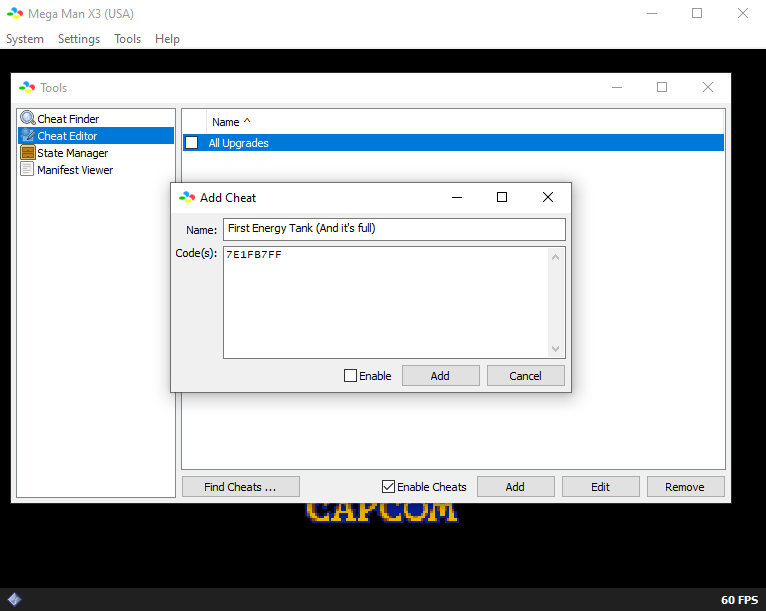
I already added the All Upgrades code, you can see it in the Cheat Editor window. The other code, First Energy Tank (and it's full) is typed into the window but I haven't clicked the Add button yet so you can see how it should look. Once the codes you want to use are added to the game, make sure the box next to them is checked (this means they're enabled) and that you also have Enable Cheats checked at the bottom of the window.
Assuming you did everything correctly (and the cheats work with this Emulator), when you return to the game you should see the cheats active. One thing to note is when you're using Game Genie codes, sometimes you'll have to save and restart the game to make them work. Action Replay codes normally kick on instantly. Another simple trouble shooting step is to try and make the memory address your code is using update. For example, if you use an Infinite Health code, take some damage to make the health memory address reload.
Now that we've enabled the codes, it's time to see if they're working ingame! When I went back to the game, only First Energy Tank (And it's full): 7E1FB7FF was working, the other code was not.
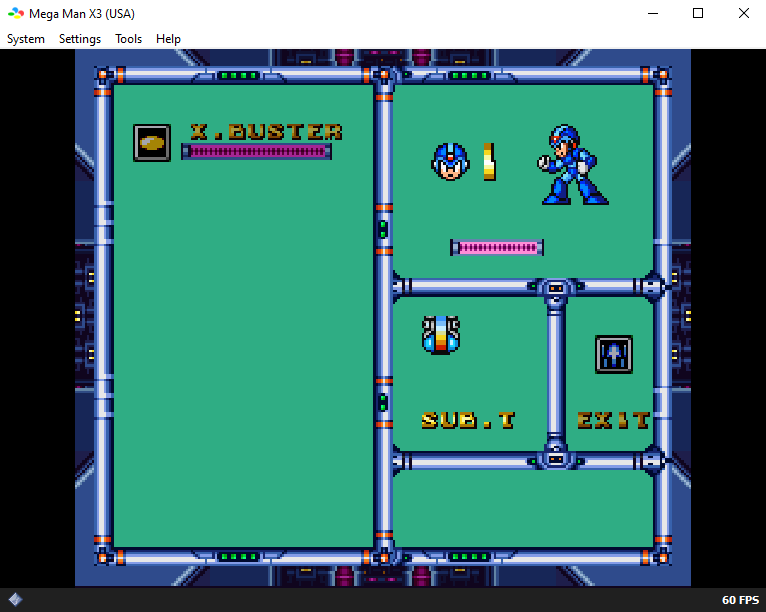
Typically I would assume there is an issue with the code or something I did wrong... After troubleshooting a bit, I think that bsnes has an issue with this one code for some reason because I was able to get it working on both RetroArch and on Snes9x. I decided to keep this code as part of the guide to demonstrate that sometimes it's a compatibility issue with the Emulator you're using and the code and it has nothing to do with what you did.
Alternatively, maybe this code is just taking longer to activate on bsnes and I needed to spend more time playing.