
How to Use & Add Codes on Snes9x Emulator
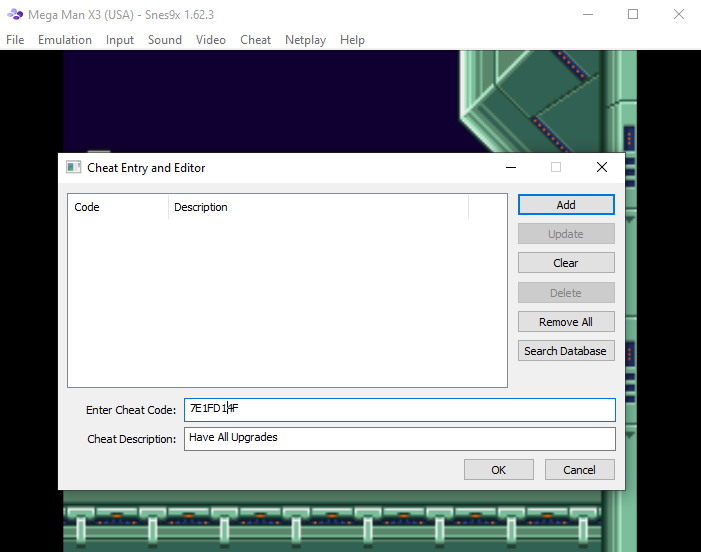
This guide was made to teach you how to add and use codes on the Snes9x Emulator. Luckily this Emulator is extremely easy to use and it's very straight forward which makes it easy to teach to you. When you're ready to get started click on Cheat on the toolbar at the top and then click on Game Genie, Pro-Action Replay Codes from the drop down. Doing this will open up the box that you see below.
Click to enlarge this picture
For the purposes of this guide we'll be using two codes found on my Mega Man X3 Pro Action Replay page, those two codes are listed below. As you can see from the screenshot above, I already input the All Upgrades code into the box above. When you input your own code you'll want to do it the same way as I did above.
All Upgrades: 7E1FD14F
First Energy Tank (And it's full): 7E1FB7FF
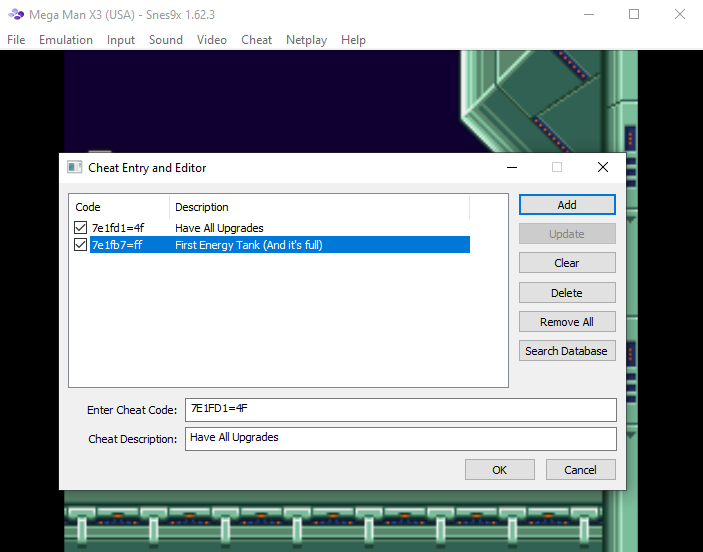
The code itself goes into the box labelled Enter Cheat Code and you'll put the name of the code in the second box, Cheat Description. Once you've done both, click Add in the top right corner to add your code to the list. When you add a code it'll appear in the main box (as shown below), it'll also have its format changed a bit. As you can see below my codes were changed to 7E1FD1=4F and 7E1FB7=FF. Despite this change, they'll still work just fine.
Now that we've entered the codes, it's time to see if they work! When I returned to my game and opened the menu I saw Mega Man in a full set of armor and I have the first Energy Tank. One thing to note is my ingame sprite didn't update with the armor yet, but it shows it in the menu. Sometimes codes can have issues like this when they're first enabled or as a whole, it really depends. In situations like this, try changing areas or forcing that memory address to reload. In my case, dying or finishing a level could force my sprite to update.
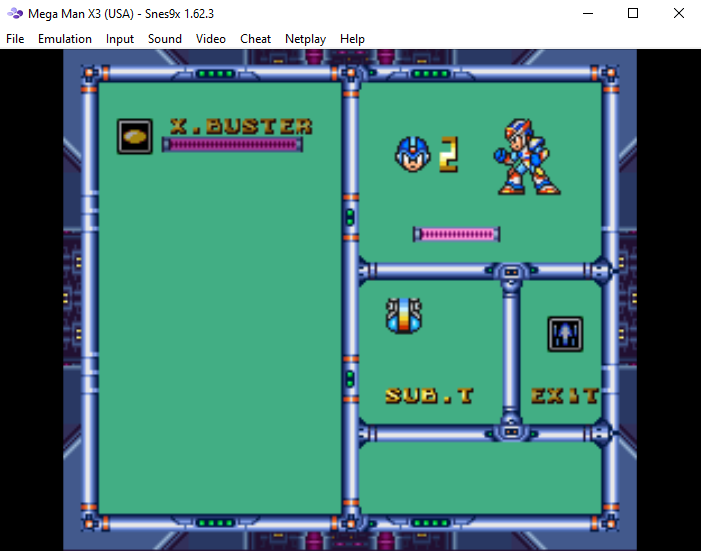
Mega Man has a full set of armor and we have the first Sub Tank!