PCSX2 .pnach Formatting Examples
On this page I will give you multiple examples of different games and different code types that I got working for those games. This is an addendum to my first guide, How To Use Codes on PCSX2. If you need help getting the codes working I recommend you use that guide instead.
As I said in the previous guide, to properly convert your codes into a valid pnach format you'll first need to download a program called Omniconvert. If you know what you're doing you can convert some codes by hand, but that's more complicated and I won't explain it here. If you know enough about how to convert the codes by hand then you don't need my help with how to use them.
Rogue Galaxy Double Line Codebreaker Code Example
The first code I will use as an example is a Rogue Galaxy Codebreaker Code. When I run this through Omniconvert I chose CodeBreaker V1+, this got me a cheat that begins with 10 which tells me it's probably the right conversion. Whenever you convert a code using Omniconvert you're typically always looking for the codes to start with 10 or 20, this is what the overwhelming majority of RAW/Unencrypted codes start with.
Below is a copy of the original code (as it's found on my website).
Unlimited Z (Money)
1A490AC0 0000FFFF
1A3D0A82 0000FFFF
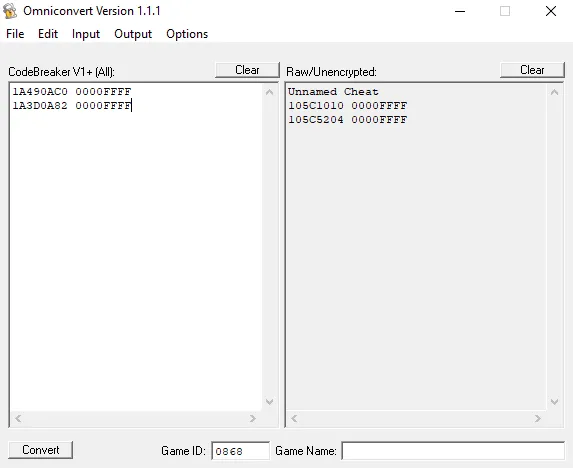
After running the code through Omniconvert we have the new Raw version:
105C1010 0000FFFF
105C5204 0000FFFF
Now all that's left is to format this properly and put it into the pnach file. If you haven't already generated a pnach file for your game, go to Tools at the top of the Emulator and click on Edit Cheats in the drop down. This will generate a file for you in the right place with the right naming structure.
Below is the code post-conversion and formatted properly for the pnach file. All that's left is to put it into the pnach file and then turn it all on and hope it works!
[Infinite Gald]
patch=1,EE,105C1010,extended,0000FFFF
patch=1,EE,105C5204,extended,0000FFFF
Click on Settings at the top of the Emulator then onto Game Properties to bring up a new window. Click on the Cheats tab in this window and then click Enable Cheats at the top followed by the check box next to your code in the box below. Before you close this window, in the bottom right click the Reload Cheats button, sometimes this activates the cheats for me so I advise you to do it if you're having trouble. The Emulator tells you the cheats are applied "every frame" but somehow I doubt this...
All that's left is to see if our cheat is working! In the screenshot below you can see I have 65k Gold at the top of my window despite only being at the start of the game.
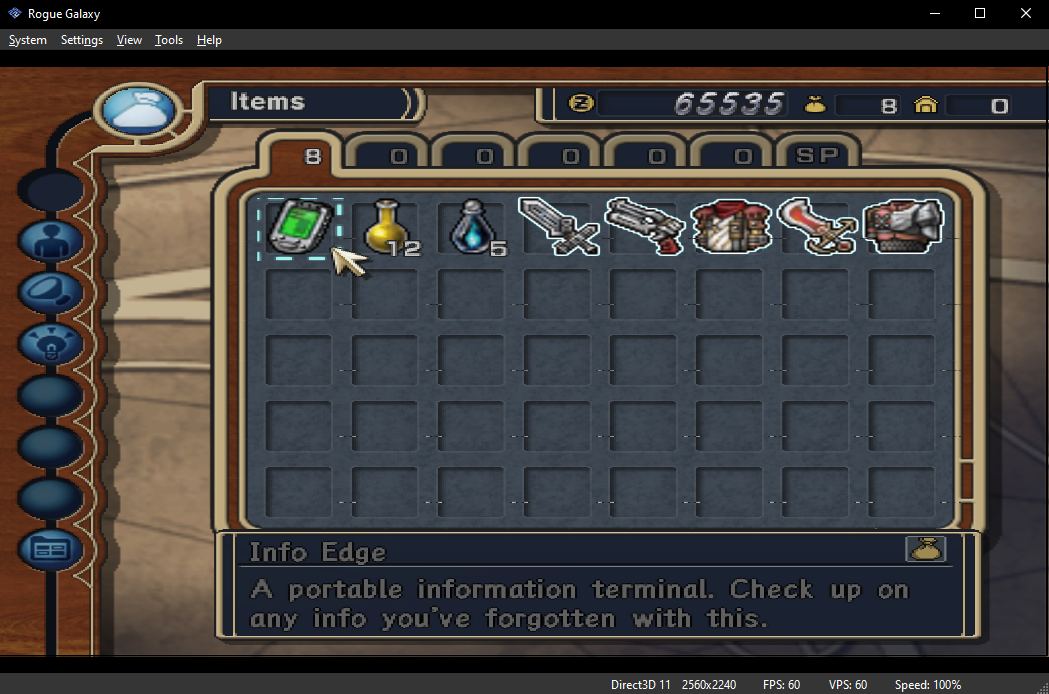
Click to enlarge this picture
Resident Evil 4 Action Replay MAX Code Example
Our second example will be an Action Replay MAX code since I haven't done one of them yet. Below is the code as it's found in my Resident Evil 4 Action Replay MAX Codes.
Max Pts
3ZFJ-Y9GQ-26VPV
Q7BD-RQ5H-XW8GV
Almost all the Action Replay codes you find online will be MAX so I normally always select that in Omniconvert when dealing with an AR code. Below is what my Omniconvert export looked like. Despite most AR codes being two lines, they end up converting down to a single line.
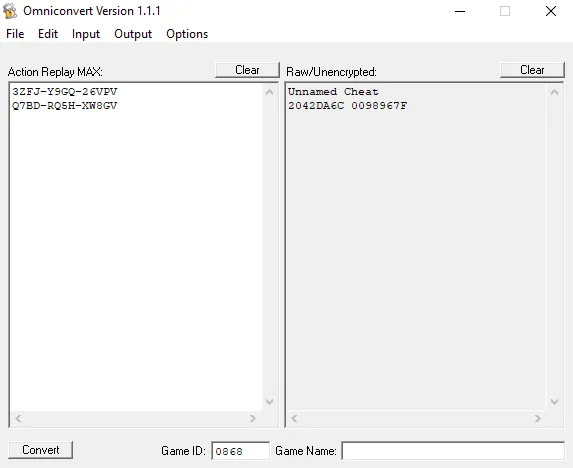
Now that we have the code, it's time to convert it into a proper pnach format that we can use.
2042DA6C 0098967F
When input properly into a pnach file it looks like...
[Max Pts]
author=Almar (Optional Field)
description=(Optional field)
patch=1,EE,2042DA6C,extended,0098967F
Now that we've input the code it's time to turn it on and see if it works! Go into Settings > Game Properties and then into the Cheats window. Make sure Enable Cheats has a check next to it at the top and that your code does too in the list of codes. When you're done click Reload Cheats in the bottom right to turn on your code(s).
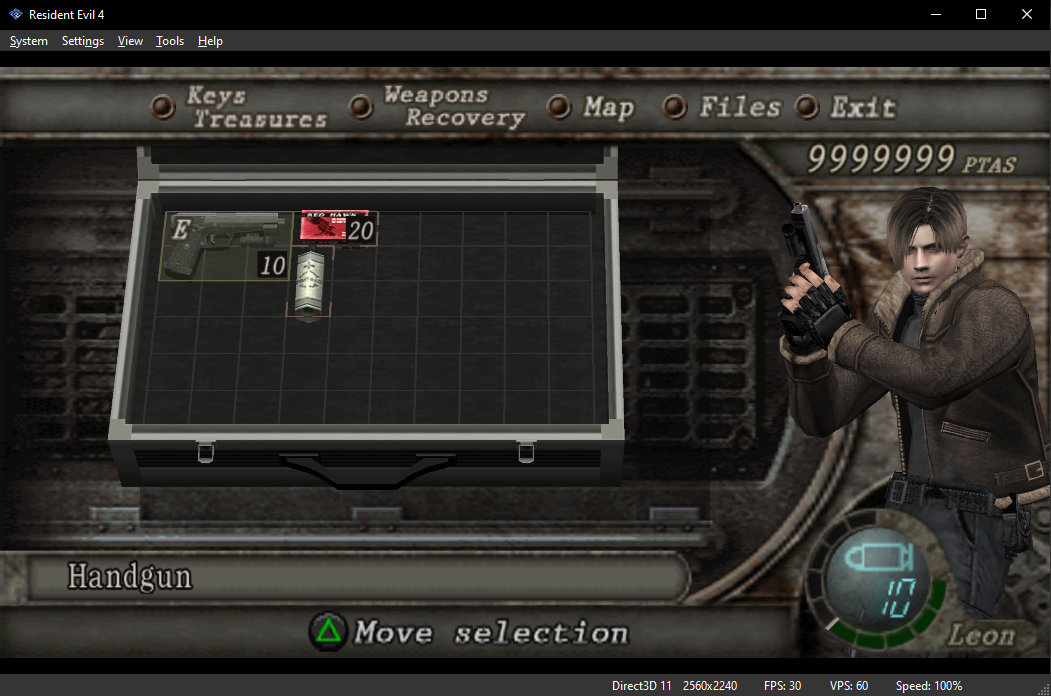
All that's left is to check if it's working ingame, as you can see in the picture below we have 9mil Ptas, so it's definitely working!
Gauntlet Dark Legacy Gameshark Codes
The last code we'll do for our examples is one for Gauntlet: Dark Legacy, a game I loved playing when I was growing up. We'll be using a Gauntlet: Dark Legacy Gameshark Code for this example. Below is the code and how it came out in Omniconvert.
Unlimited Gold: 4CB5B098 1456089C
Gameshark v1 or Action Replay v1
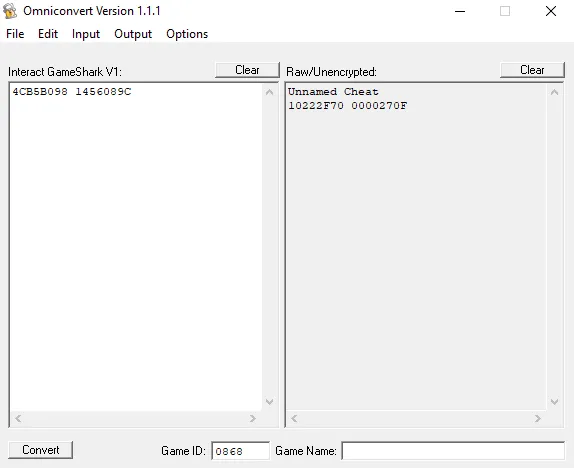
Sometimes the Gameshark Codes you find online won't have a version number for you. If that's the case, my advice is to try V1 or V5+ and see which code looks the most normal. Remember what I told you before? The majority of codes start with 10 or 20 when they're in the Raw/Unencrypted format. If you run a code through Omniconvert and it starts with 10 or 20 in the Raw/Unencrypted format.. assume that means you're good to go.
10222F70 0000270F
Our next step is to input the code into the pnach file in the format that's required. Below is what a normal code will look like when input correctly. The author and description lines are totally optional, but you'll often see them with codes that you find online. Incase you've forgotten, you can find your game's pnach file by going to Tools > Edit Cheats.
[Unlimited Gold]
author=Almar (Optional Field)
description=(Optional field)
patch=1,EE,10222F70,extended,0000270F
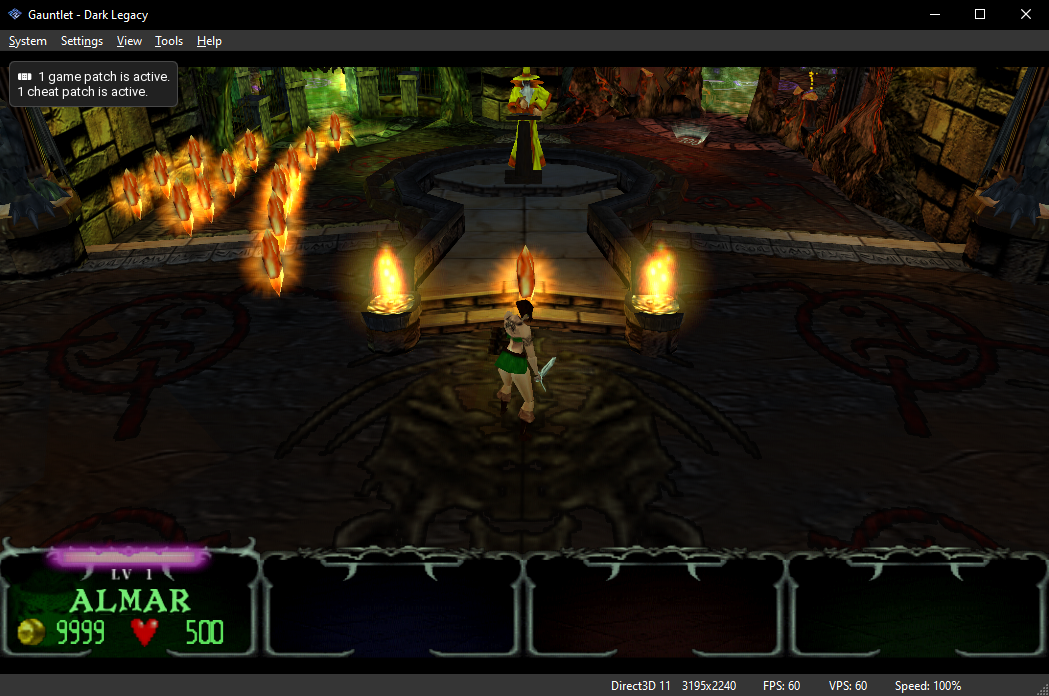
Now that you've input the code into the pnach our next step is to go to Settings > Game Properties and click on the Cheats sidebar. From here you'll want to click Enable Codes at the top and also make sure that your code has a check next to it too. Once this is done click on Reload Cheats in the bottom right to complete all steps. When you click Reload Cheats you should see the pop up in the top left like I show in the picture below.
As you can see in the picture below, I have 9999G which means the code is working.