
How To Use Genesis Codes on Ares
I made this guide for the Ares Emulator, it's designed to help you use the codes you find on my website with the Genesis portion of this Emulator. Ares can run a bunch of different consoles but we'll focus on Genesis since that's what we're using it for. To get started you'll want to select Tools at the top of the Ares window and then from the drop down choose Cheats.
Ares has an issue with running Game Genie codes, I was unable to get them to work on this Emulator. All the PAR (Pro Action Replay) codes I tried worked fine though. There are a few solutions I can offer you though despite this, I will talk about them more at the bottom of the guide. From my experience, it can be hit or miss with some Action Replay codes too. A more reliable Emulator for Genesis (as far as codes go) is the Kega Fusion.
For the purposes of this guide I will be using Sonic the Hedgehog on Genesis as an example game.
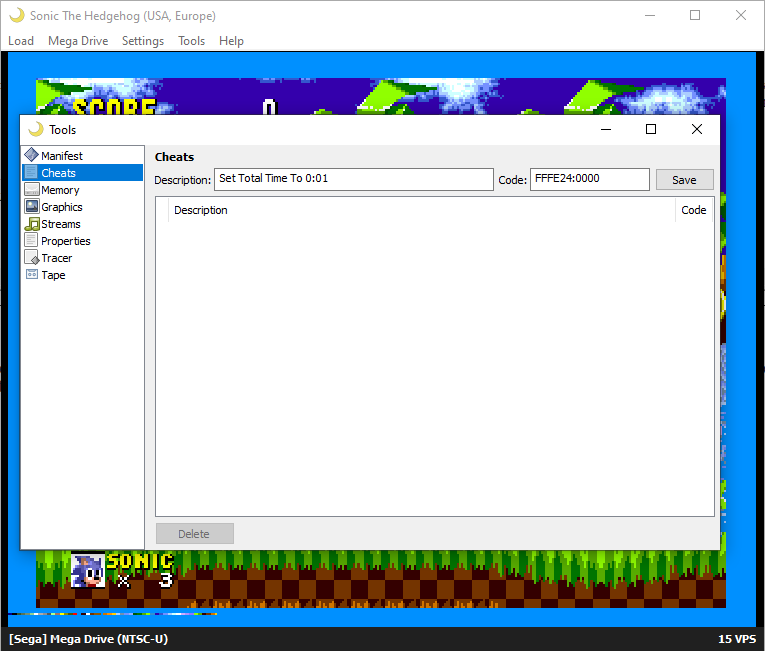
Click to enlarge this picture. You can click to enlarge other pictures on this page too
At the top of the box right under where it says Cheats you'll see two boxes, one is Description: and the other is Code:. You'll want to put the name of the code into the box that's marked Description and then put the code into the box marked Code. You can see that I have already put the Set Total Time To 0:01 code from below into the correct boxes in the screenshot. After you do this make sure you click the Save button to save the code.
Set Total Time To 0:01 (Action Replay): FFFE24:0000
No background (Game Genie): EB0A-AA2E
You can easily tell codes apart by their format. Game Genie (on this console) is always four letters/numbers and a dash followed by four letters/numbers. Action Replay codes (on this console) are always 6 numbers/letters followed by a : and then four more numbers/letters. Once you've input your codes and saved them, you'll want to enable them by clicking the check boxes next to them. Look at my picture below to see what that looks like, I have both enabled.
Note: As aforementioned, Game Genie codes don't work for Genesis on the Ares Emulator, or at least I couldn't get any to work.
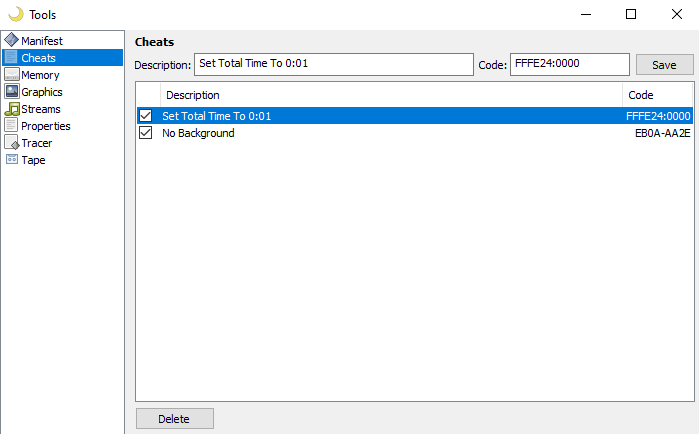
In the picture above I have both Set Total Time To 0:01 enabled as well as No Background. Set Total Time To 0:01 worked, it didn't lower the time to 0:01 like it does with Kega Fusion (and should, as the code is programmed to), but it froze the time at the value I turned it on at (as shown below). Like I said earlier, this Emulator doesn't always run codes the best... but with so few options for Genesis, this is still better than nothing. At least the code is working, right?
As far as the Game Genie code goes, (No Background) never worked. There's a solution I have for this though, when you input a Game Genie code in Kega Fusion the Emulator will automatically convert it into an Action Replay code. You can then take that code and use the code with this Emulator... Although, if you're going to load up Kega Fusion just to do all that... you may as well use that Emulator instead.
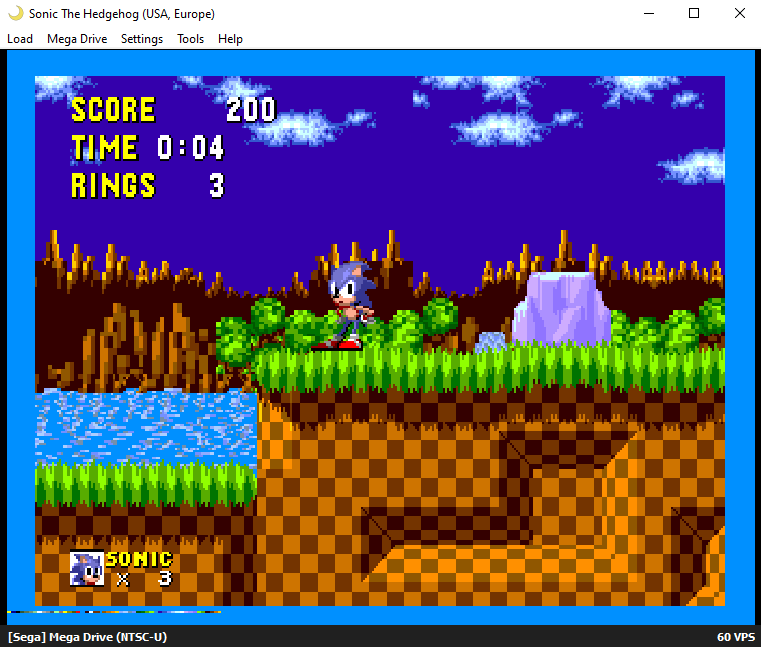
Note: Sometimes codes can be a little finicky. You may need to run around ingame a bit, open and close a menu or force the memory address to update in some way for the code to work. For example, if your code is designed to grant you max money, try opening the menu or spending/earning money to make that memory location update.