
Ninja Gaiden Trilogy Passwords
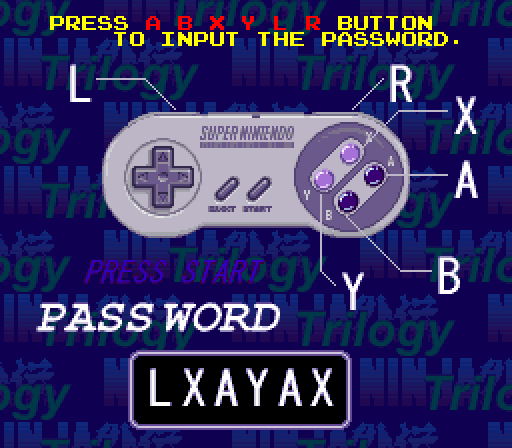
Choose Continue on the title menu, press the A, B, X, Y, L and R buttons to input the six characters (the password is typed with controller buttons), then press Start. The game is selected by the password itself.
This is what the password screen looks like with a successful password being entered.
Ninja Gaiden Passwords
Act I: LXAYAX
Act II: AXXRYA
Act III: XYBRLX
Act IV: BRABYY
Act V: XAYXLL
Act VI: RYRLAX
Ninja Gaiden II Passwords
Act I: AABXYR
Act II: XLRBBA
Act III: LYBARR
Act IV: ALXYYB
Act V: RAABXL
Act VI: YLRAYR
Act VII: BBXYAL
Ninja Gaiden III Passwords
Act I: BYRLXA
Act II: ARRYAL
Act III: LBRYLY
Act IV: RRBAYX
Act V: YABXRX
Act VI: BXXAXY
Act VII: XRXYYL