How To Use Codes on the VisualBoy Advance-M (GBA, GBC and GB)
This guide will teach you how to use and add codes on the VisualBoy Advance-M Emulator. If you're using the regular VisualBoy Advance (VBA) Emulator you may wanna check out this guide instead to learn how to use the codes. The processes are similar with both Emulators but they do have slight differences. The original VisualBoy Advance is depreciated and no longer getting any updates, VBA-M is the newer modern version.
When you're ready to get started, click on Tools at the top of the Emulator and then mouse over Cheats so that you can click on Cheat List on the pop out. Alternatively, you can also press the CTRL + C to immediately access the cheat list box. Below is a picture of what this box looks like.
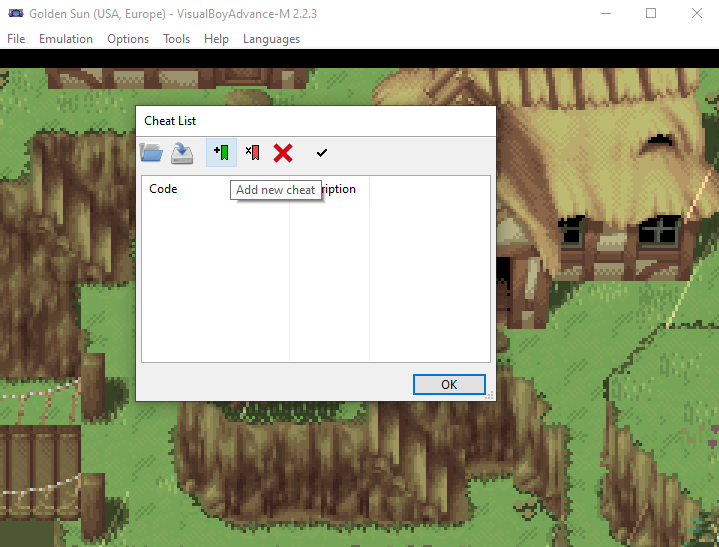
Unfortunately the devs took after the Windows 11 developers and instead of using words to describe basic things like copy and paste -- they use pictures. Every option available to us in the cheat list box is going to be a picture, you'll have to read each one to learn what they do.
For now the only one we have to worry about is Add New Cheat, it's the green flag icon which I am mousing over in the picture above. When you click this button it'll open up a new box called Edit Cheat (found below). Input the Description (usually name of the code) and choose your code type. I am using a Golden Sun Codebreaker Code so I chose Codebreaker. The box at the bottom marked Code is where the code will go.
Unlimited Money: 82000250 FFFF
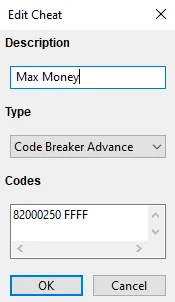
Once you've input your cheat properly, choose OK at the bottom and make sure your cheat has a check mark next to it on the Cheat List menu. Assuming that it does, you can hit OK in this box too and go back to your game to see if the cheat is working properly.
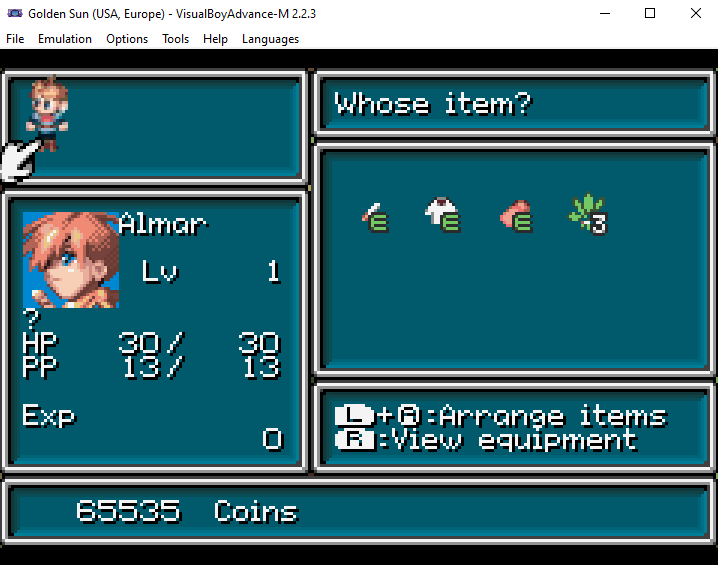
When I tabbed back into Golden Sun and checked my inventory, sure enough I had 65k gold which definitely means the cheat is working.