How to Use & Add Codes on Sameboy Emulator
This guide will explain how to get codes working for Gameboy and GBC games on the Sameboy Emulator. Unlike most emulators there is no toolbar for this one, you'll have to input cheats through the ingame HUD. For the purposes of this guide we're going to be using The Legend of Zelda: Oracle of Seasons Gameshark Codes as our example.
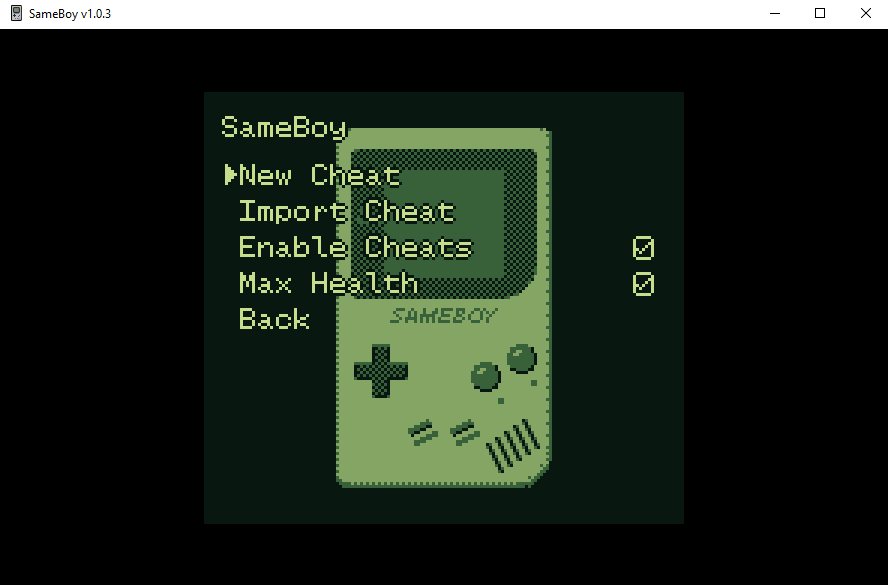
When you're ready to get started, press the ESC button on your keyboard while you're running a game in Sameboy. Doing this will bring up a menu, one of the options in here will be for Cheats... select that one. The next menu will give you multiple options, it's also where all of your cheats will be listed once you've added them (pictured below).
Click to enlarge picture
As you can see in the picture above, we have a few different options available to us. New Cheat will be a more technical process and not one I will be explaining here, you'll want to select Import Cheat instead. When you choose Import Cheat you'll have the option of copy and pasting a code into the Emulator or typing it out yourself.
Infinite and Max Health: 017FA2C6
The cheat I entered is found above, it's also in the picture above as "Max Health". When you input a code it'll look something similar to what it shows in the picture below. Imported Cheat is the name of the code, press Enter or whatever button is your confirmation button and you can change the name to something else.
Sameboy breaks up the code into multiple lines, as seen in the picture. It can be a bit confusing if you're new to codes but don't worry because you don't have to mess with the code at all once it's been entered.
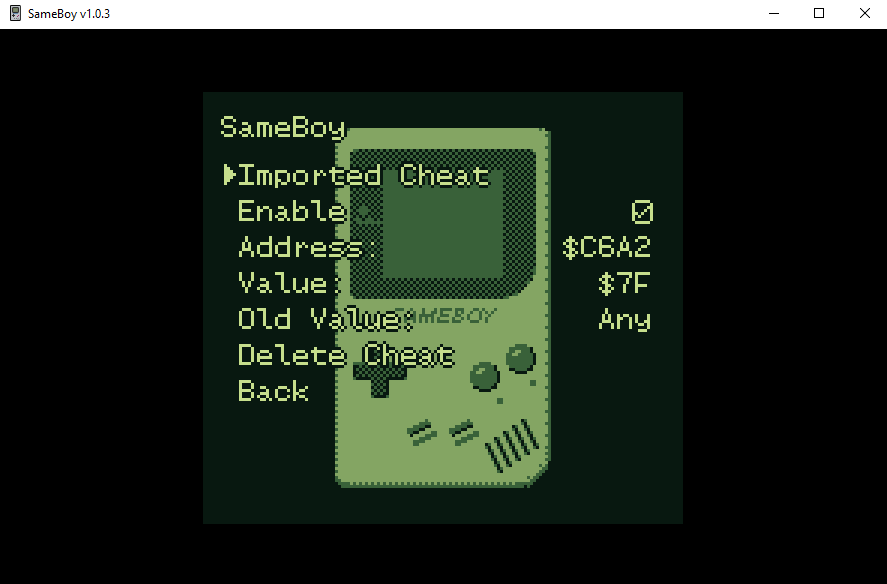
Make sure your code is enabled and that you also have Enable Cheats selected in the Cheat Menu. Assuming all this is true, you can return to your game and check if your code is working or not. Sometimes you can do everything right and a code still won't work, in my experience sometimes codes work on some Emulators and not others. Of course, sometimes people make codes and don't test them at all which will result in some bad codes too.
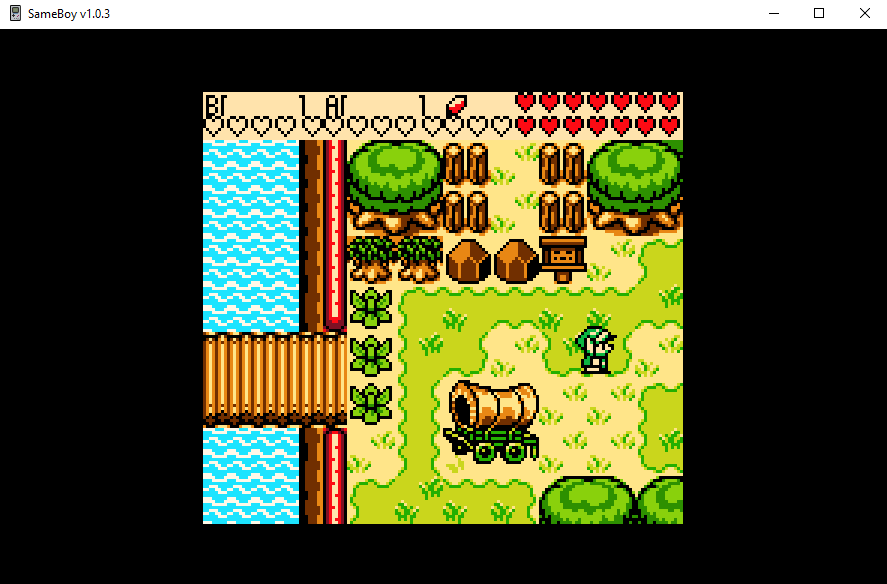
Thankfully, the code we were testing out works, as you can see from the picture below.