How to Use & Add Codes on PPSSPP (v1.20.4) Emulator
This guide will teach you how to add and use codes on the PPSSPP Emulator. I wrote this guide for PPSSPP version 1.20.4, if you'd like to see my guide for an older version of PPSSPP head over to my How To Add & Use Codes on PPSSPP (v1.10.3). Luckily for us, this Emulator is another one of many where you can download files which contain codes. Doing this will save you a lot of time inputting all of the codes you want to use manually.
If this is your first time ever using cheats on the PPSSPP... before you can even access the cheats section in this Emulator you'll need to make sure Enable Cheats is turned on under System in options (pictured below).
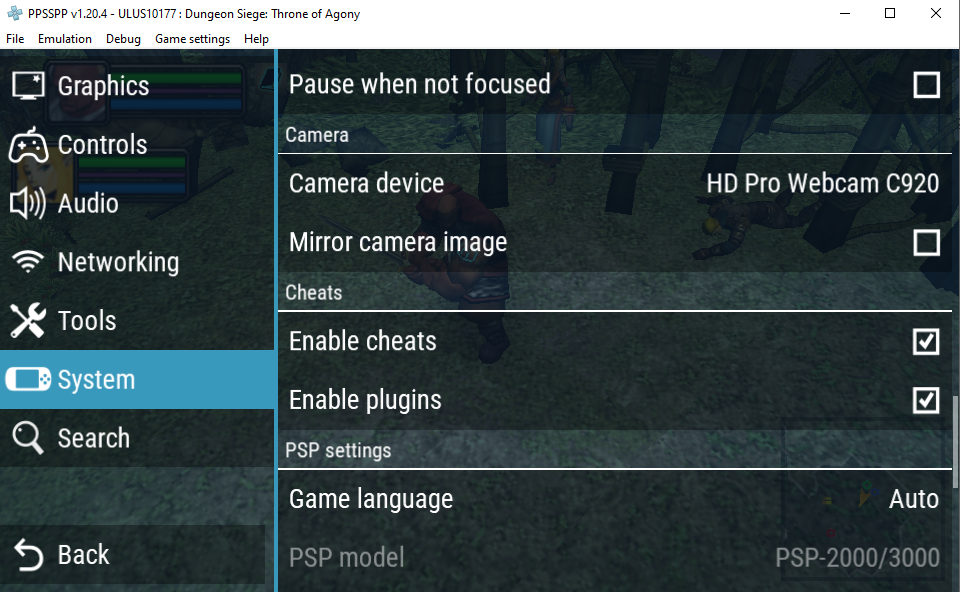
Click to enlarge this picture
After you've turned on Enable Cheats hit your back button to return to the previous menu with the save states. On the right hand side of this menu you will now see an option that says Cheats (pictured below). Unless you select Enable Cheats first, this option will not be available to you. You only have to do this once, after you've enabled cheats the following menu will always be there.
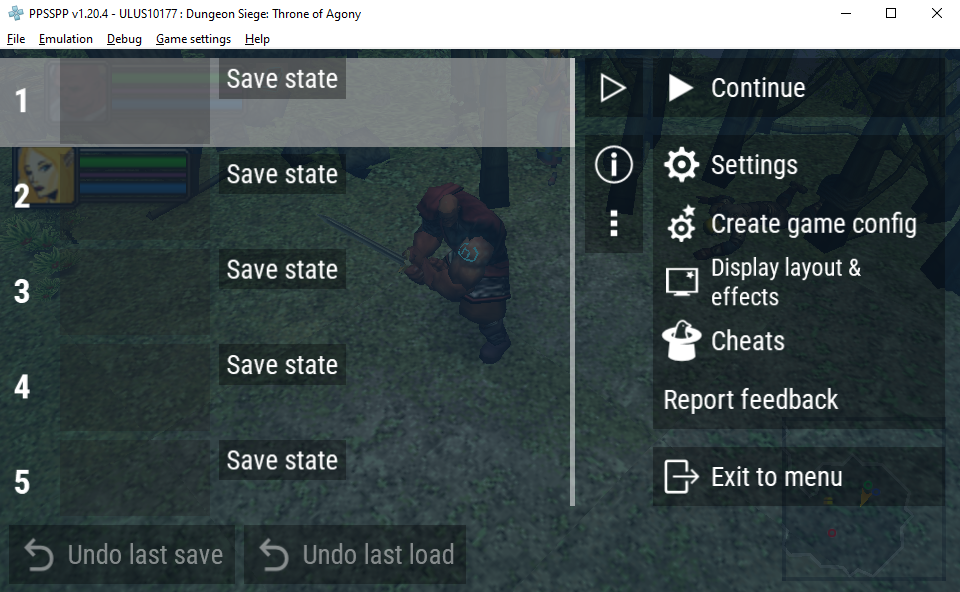
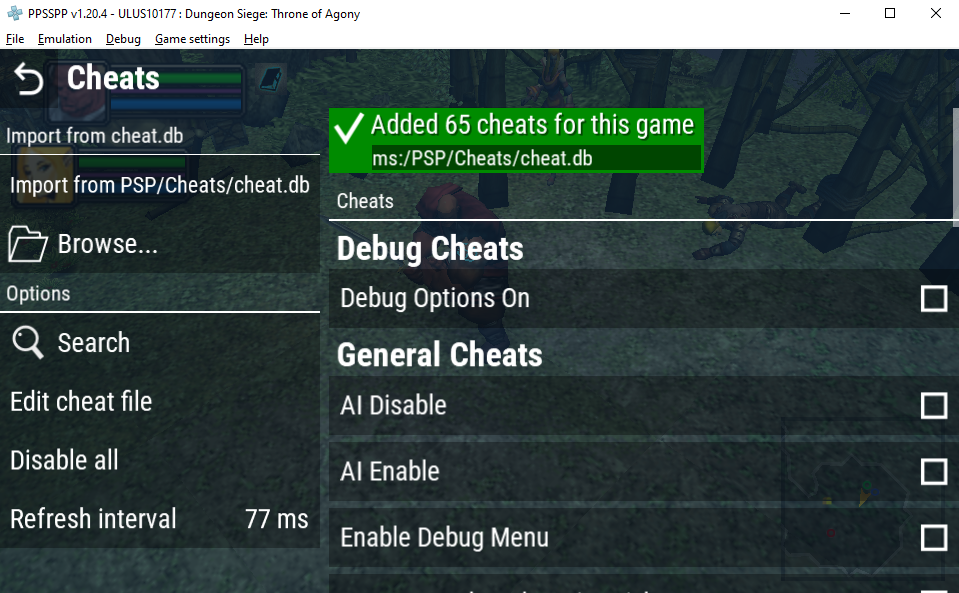
When you open the Cheats menu you'll have a few different options to choose from. I will list the important ones and what they do below.
Import from cheat.db: You'll have to search online for a PPSSPP Cheat.db file to use this (or already have one). When I searched the first link was to a github which had the file I needed. Loading this db will typically give you all the codes you need to make your game work properly. As you can see in the picture below, it downloaded a total of 65 cheats for me.
Edit cheat file: Click this to open up a Notepad with your current game's cheat file; this is typically the easiest way to figure out which file belongs to which game. Most playstation Emulators are setup this way, the cheat files are all named after the region/publisher and the game's ID. So for the game I am using in this guide, Dungeon Siege: Throne of Agony my file's name is this: _S ULUS-10177 .. Once you get files for 10-20 games, this is the easiest way to find those files.
Something to note too is that the cheat.db file will often have more than just cheats. There's often things like Camera fixes/changes, graphical fixes/changes and FPS fixes/changes in with the codes.
Despite having access to the cheat.db file, sometimes there's a code you found online that isn't in there. To add a code you'll want to click on the Edit cheat file button (pictured above) to open the .ini file for your game. The cheat I want to add is found on my Dungeon Siege CWCheat (USA) Page. CWCheats are how most PSP codes will be formatted and provided online since this is how most of the Emulators use them. There are Action Replay codes too but they will require you to format them as a CWCheat to use them.
_C0 Money Max 999999
_L 0x211BA93C 0x000F423F
Typically when you find a CWCheat it'll be formatted like this and it's put into the .ini file exactly as it appears. All you need to do is copy and paste it from where you found it into the file that opens up when you click the "Edit Cheat File" option in PPSSPP.
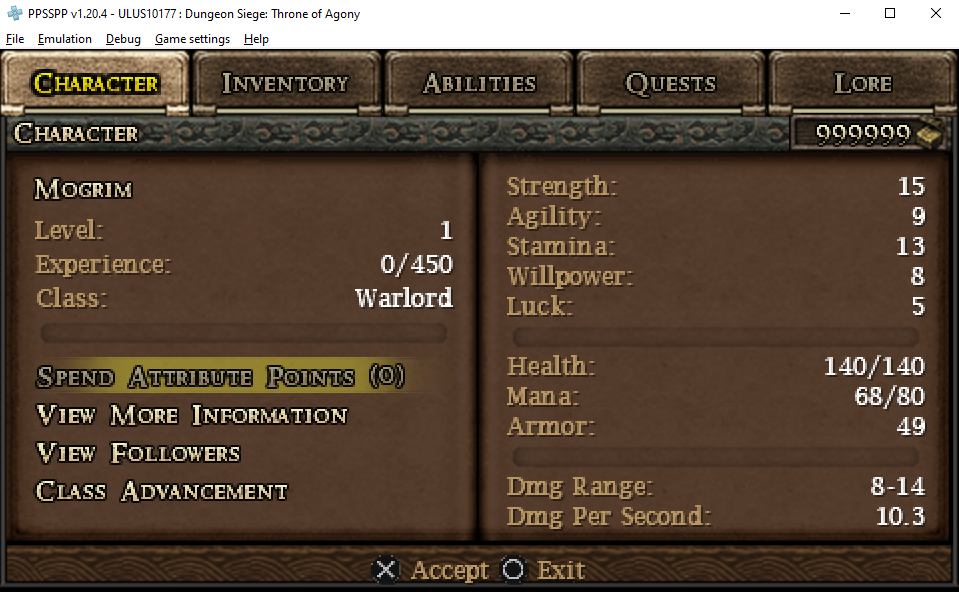
If you want to find the file yourself, it's in your PPSSPP install folder. Look in PPSSPP/memstick/PSP/Cheats/ folder for your file. For Dungeon Siege: Throne of Agony the name of the file is ULUS10177.ini. Once you've put your code into the file, enable it in the PPSSPP Emulator then check if it's working ingame. Below is a screenshot of me having 999,999 gold which means this code is indeed working.