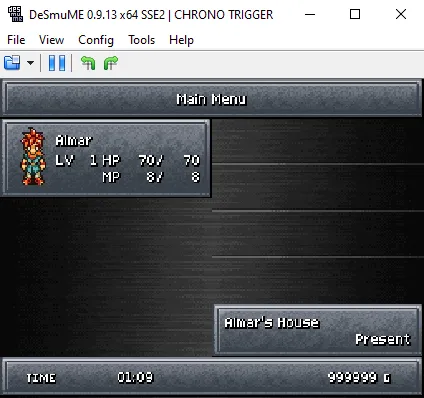
How to Use & Add Codes on DeSmuME (v 0.9.13) Emulator
This guide will teach you how to add and use codes on the DeSmuME Emulator for the NDS. Like many Emulators on the market, DeSmuME has a built in feature that lets us add cheats for many different games without having to put them all in individually ourselves. I'll explain how to use this first since it'll save you a lot of time. If you're using an older version of DeSmuME it may not have this feature, update to the newest version.
If you'd like to see an older version of this same guide head over to my How To Use Codes On The DeSmuME Emulator (v0.9.7) guide.
When you're ready to get started click on Tools at the top of your Emulator's window and highlight Cheat from the drop down; click List in the pop out. Doing this will get you the same window shown in my screenshot below. Click on Cheats Database at the bottom and you'll probably get an error message, unless you put something inside of the /cheats/ folder already.
Reading this error message will tell you one of the multiple locations you can find the file we need for this folder. Honestly, I just searched online for "DeSmuME Cheat Database" and I found posts from someone named DeadSkullzJr who normally posted a zip file you can download with a cheat.db file (among others) inside. He has posts on multiple forums and I do not believe he is the only NDS Cheat Database either.
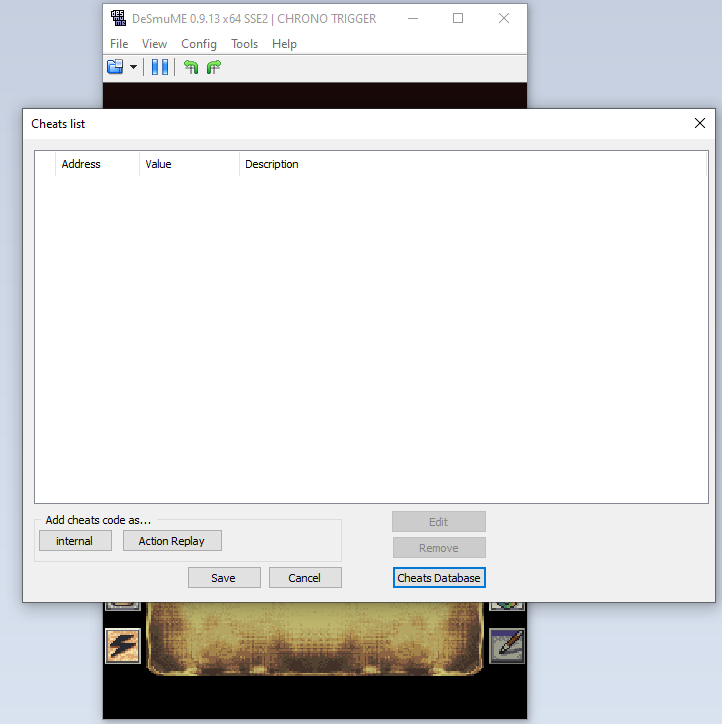
Click on this picture to enlarge it
Once you put the file into your DeSmuME/cheats/ folder you'll want to click on the Cheat Database button again and you should have a list of codes for your game already available to you. All you have to do is find a code in this list and click the check box next to it. Once you're done click Add in the bottom right to put the code into your game. If your game doesn't have the code you want to use, you'll have to add it manually which is what I will show you how to do next.
Adding codes is a very simple process, for this guide I will be using a Chrono Trigger Action Replay code which I show below.
Max Gold: 020731FC 000F423F
This is an Action Replay code, so click the Action Replay button at the bottom of the window that's shown in the picture above. You'll open another box which is shown below. It's pretty self explanatory, the code goes in the top where it says Code and the Description at the bottom is where you'll put the name of the code/something that helps you remember what this code does.
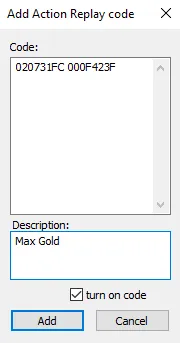
When you click Add it'll add the code to your game. All that's left to do is go into your game and see if your code is actually working! In the screenshot below you can see that I have 999,999 gold in total despite being level 1 at the very start of the game... which means our code is definitely working.