
How To Use Codes on Duckstation
This guide was made for the Duckstation Emulator, it's here to help you get the codes you find on my website (and other websites) working on the emulator. When doing anything with cheats on this emulator you'll first need to go up to the top left and click on the System tab. Inside of the System tab you'll find another section called Cheats, click on that (or mouse over it and click on the pop-out portion) to open the window you see below.
For the example in this guide I am going to be using the game SaGa Frontier.
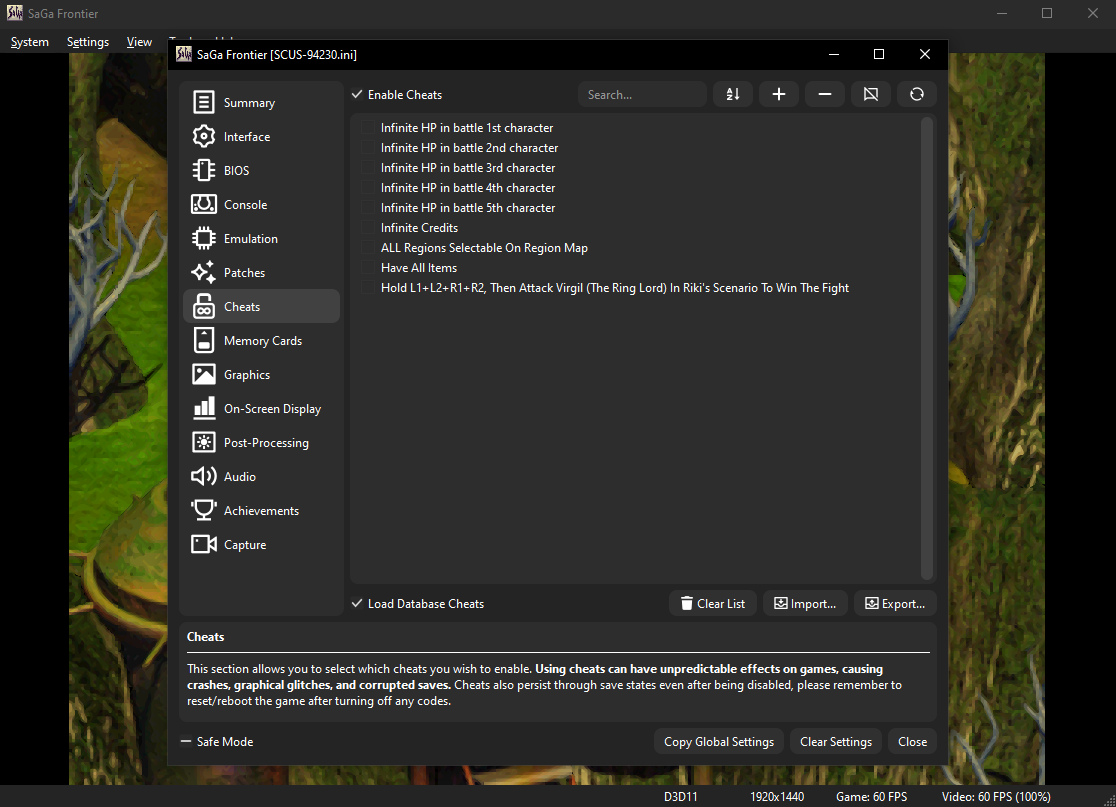
Click to enlarge this image, or any other image on the page
When you reach the window shown above, make sure you have "Load Database Cheats" clicked at the bottom. This will load tons of cheats onto the Duckstation from their database. They have probably 60 - 70%, maybe even 80% of the codes on this website in their database. All you need to do is enable them and then you're good to go.
You can enable these cheats by clicking the box next to them. When the check appears, the cheat is active. You'll also get a notification in Duckstation in the top left which tells you that cheats are active when you turn one on. It's all very intuitive and I don't think you'll have much of a problem with this part of things.
Adding a code requires a bit more than one click, but it's still really easy to do. Left click the + at the top of the Duckstation window to open the same box that's shown below. We need to put the code into the bottom of the window and the rest more or less stays the same. Regardless of if you're using a Codebreaker, Action Replay or Gameshark code, it seems as if Duckstation takes them all as Gameshark. So don't worry about that box being different than what it says on my website.
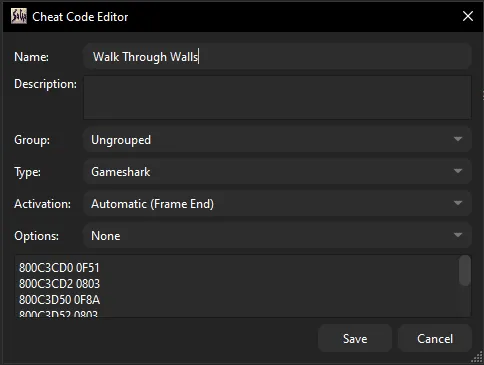
Like I said earlier, the game we'll be using as an example for this guide is SaGa Frontier. The Duckstation database has a lot of the codes from my website already saved within it, one of the CodeBreaker codes it doesn't have though is Walk Through Walls, so we'll add that code. Input the code to look like the box above, the code goes into the larger section on the bottom.
Once it looks the same as my picture above, save it and enable it so that you can test that it works ingame. Below is the code that I put into the box above, I got it from the SaGa Frontier Codebreaker Codes page.
Walk Through Walls
800C3CD0 0F51
800C3CD2 0803
800C3D50 0F8A
800C3D52 0803
800C0AD2 2400
800C0AE4 2400
After putting in the code, enable it and then test if it works! Sometimes codes will take a little moving around or opening and closing menus to make the memory locations update. This Walk Through Walls code is kind of like that, you can't walk through the wall everywhere... but if you keep trying different spots you'll get into the wall in no time.
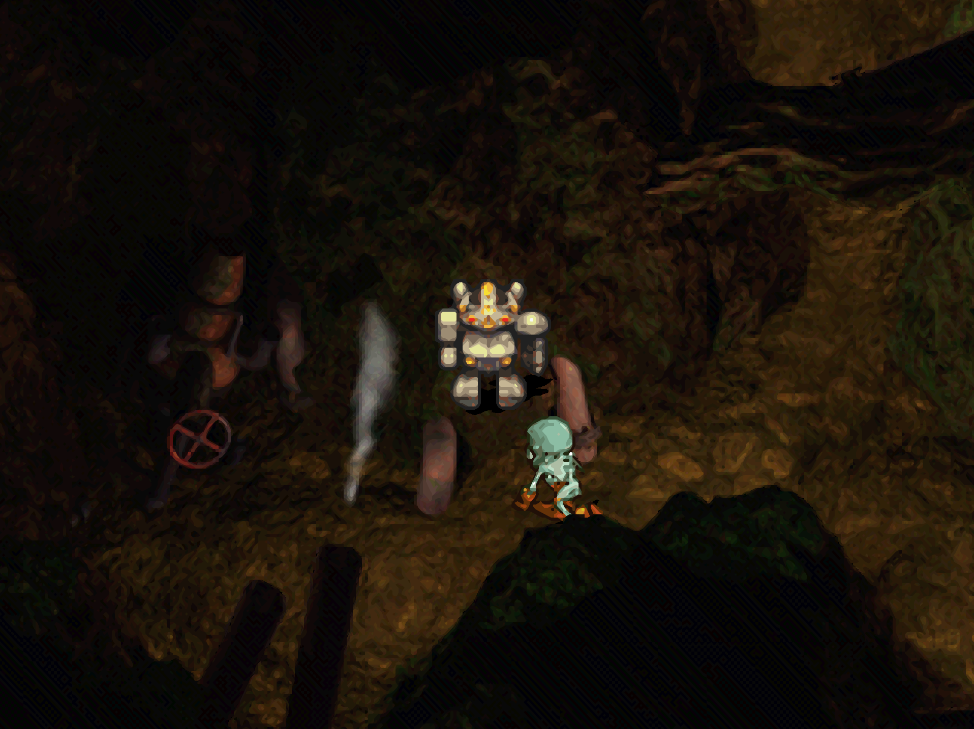
In the screenshot above, you can see me standing on the wall between two pipes where I am not supposed to be. The enemy AI is confused because it can't reach me so it just runs around in that location unable to touch me and begin a random encounter. I'd say that all things considered, the code works!