The Bazaar
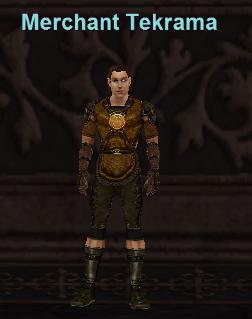
The Bazaar is Everquest's version of the auction house. The main difference is you get to sell your own wares as a "Trader", instead of placing them up for auction. The way this works is you buy Trader's Satchels from Merchant Tekrama in the Bazaar and put your items inside. Once your items are inside the Trader's Satchel you will be able to type /Trader and list those items up for Auction. More information on this can be found in the guide below.
This is very important so not only is it a bit further down in this guide but I will be placing the information right here too. You used to be required to be in The Bazaar to buy items from Traders or to sell items to Barters but now you can open the Bazaar tab anywhere in the world and buy items from anywhere in the world (Ownership of the Rain of Fear (RoF) expansion required). The same goes for using /barter. You can sell items immediately after picking them up from a monster and have the plat instantly placed in your inventory after you sell the wares!
Free to Play Players: Players that are "Free to Play" will be unable to set up their own Traders, unfortunatly they will only be able to buy items in The Bazaar not sell them.
The Bazaar Gear Buying Guide (Level 65+)
Video Guide on how to set up a trader:
To search for items that people are selling type "/bazaar" to search for items that people are buying type "/barter". You used to be required to be in The Bazaar to buy items from Traders or to sell items to Barters but now you can open the Bazaar tab anywhere in the world and buy items from anywhere in the world (Ownership of the Rain of Fear (RoF) expansion required). The same goes for using /barter. You can sell items immediately after picking them up from a monster and have the plat instantly placed in your inventory after you sell the wares!
How to Set up a Trader In EverQuest
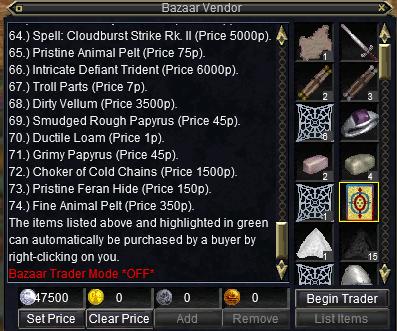
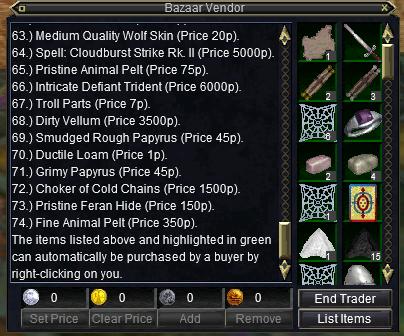
When you place your items inside type "/trader" (Without the "") to bring up your trader menu. Left click on the item and then on any of the 4 coin types. (Where it says 0). Type in the amount you want the item to sell for and then hit accept. After you've done that hit "Set Price" to set the price.
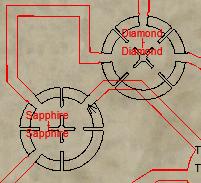
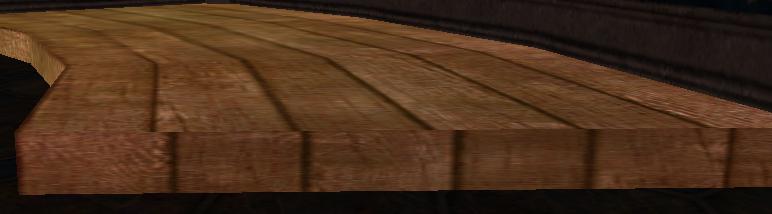
You must also be standing in the right area in the Bazaar to start your trader. Look for the raised areas in the Red Dragon Hall. They are a raised wooden ledge, shown in the picture below.
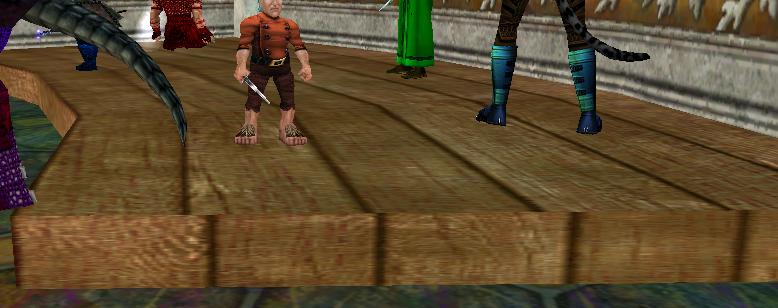
After you've priced all of the items in the Trader's Satchel and are standing in the right area in the bazaar click "Begin Trader". It will list all of the items you have for sale and let you know they're up for auction by making the previously black area behind them, green. Added in the Rain of Fear Expansion there will be a third button on the Trader Window. It will say 'OFFLINE TRADER'. After you turn on your Trader for the day and start running him, clicking this button will exit you out of Everquest but still leave your Trader Running.
This will help a lot with people who can't leave their computers on 24/7. When logging back into the game with an Offline Trader active you will get the popup either letting you know a Trader is currently active or sometimes you will get a 'A character is online on this world on this account, would you like to remove them from the world so you can log in?' message. Either way, removing the trader and logging in will only take an extra 25 - 30 seconds.
How to Set up a Buyer In EverQuest
Setting up a buyer is very similar to a trader, with the main difference of buying items instead of selling them. Buyers must also set up in a different area then a Trader. To get started type "/buyer".
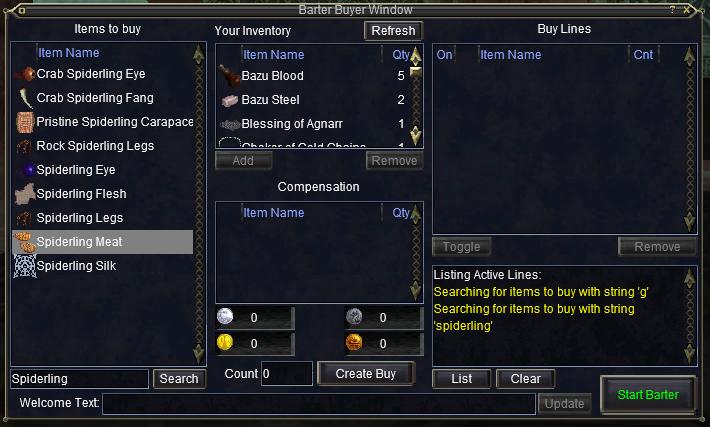
The item that you would like to buy, type it in where i have "Spiderling" typed in. A list of items that match your request will come up. Left click that item (It will have a white beam through it when you select it, like Spiderling Meat does in my window). Where it says "Compensation" pick one of the 4 coins and click on the "0". Set your price and hit accept. Then to the left of "Create Buy" type in how many you'd want to buy. After you've set up how many you want to buy and your price is already set up click "Create Buy"
For the sake of argument I set Spiderling Silk to buy 10, for 1 plat each;
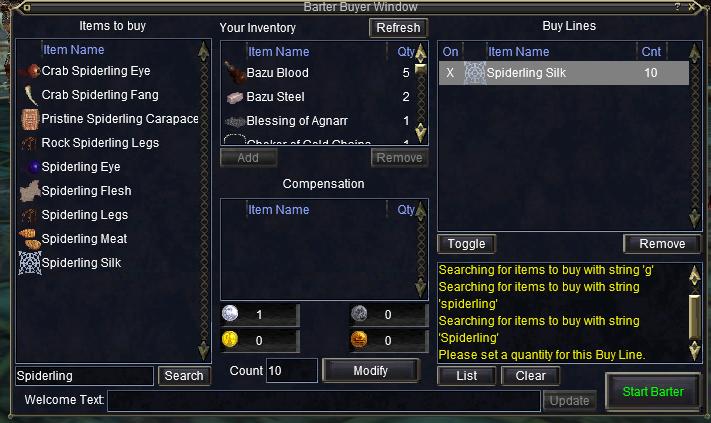
Now in the upper right hand corner you can see "Spiderling Silk" with the white beam through it. "Cnt" stands for Count, which means I'm buying 10 of them. the "X" under "On" means that item is currently set for being purchased. After you've done this head to an area in the Blue Griffon Hall with a raised wooden platform and click Start Barter. A picture of the area you need to be standing is below.